How to Create a Universal Promo Code
-
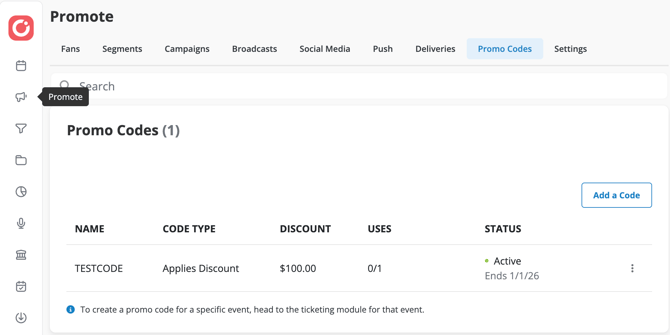
Go to Promote > Promo Codes.
- Click New Promo Code.
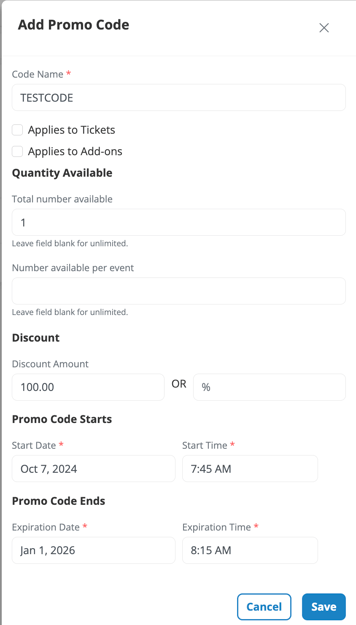
- Code Name: Enter a code name and choose the discount type and amount.
-
- Apply to Tickets or Add-ons to optionally reveal hidden templated tickets.
-
Quantity Available: Set optional limits for total redemptions and per-event redemptions, or leave blank for unlimited.
-
-
Total Number Available: Limits the total number of redemptions across all events combined.
-
Number Available Per Event: Limits how many times the code can be used for each individual event.
-
Example:
-
If you set Total Number Available = 100, the code can be used 100 times total across all events.
-
If you also set Number Available Per Event = 10, the code can only be used up to 10 times per event, even if fewer than 100 total redemptions have occurred.
-
-
-
-
- Discount: Add a flat and/or percentage discount amount.
- Enter 0 if no discount applies, for example when revealing hidden tickets
-
Set start and end dates.
-
Click Save.