
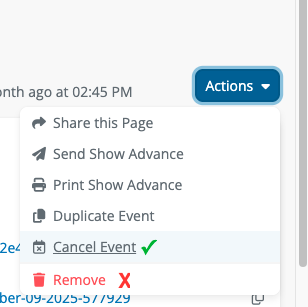
When an event is canceled, head to the 'Actions' dropdown menu at the top right of the event dashboard and select 'Cancel Event.' This will automatically hide the event from your home page and events page.
During this time, do not select 'Remove' - this option will delete the event from Opendate entirely before the website can be updated, leaving the show stuck on your website.
For any assistance feel free to reach out to clientsupport@opendate.io!