
1. Access Event Details 0:00
-
Navigate to the Event Details page.
-
Locate the Contacts section.
2. Add or Select a Contact 0:00
-
You can either:
-
Add a new contact.
-
Select an existing contact by clicking the three dots next to their name.
-
3. Open Ticket Count Email Settings 0:00
-
Click on 'Event to Ticket Count Email Settings' from the dropdown.
4. Enable Ticket Counts 0:20
-
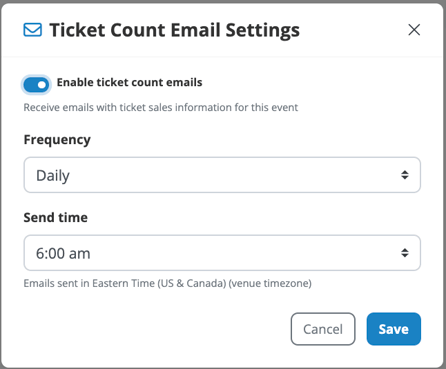
Toggle the option to enable ticket counts.
5. Set Email Frequency 0:20
-
The default frequency is set to daily at 6am.
-
Click on the frequency option to customize:
-
Choose from:
-
Weekly
-
Every two weeks
-
Every other day
-
Specific days
-
-
6. Customize Email Time 0:43
-
Set a specific time for the email to be sent.
7. Save Your Settings 0:51
-
Click 'Save' to apply your settings.
-
You can return to edit these selections anytime.
8. Confirmation of Email Receipt 0:51
-
The selected contact will receive the email at the next scheduled time.