
If you're a Google Calendar power user, a fan of hot keys, or just looking to save time, you can now do that with Hot Keys on the Booking calendar.
While in your Booking calendar, type "?" to see the menu of keyboard shortcuts.
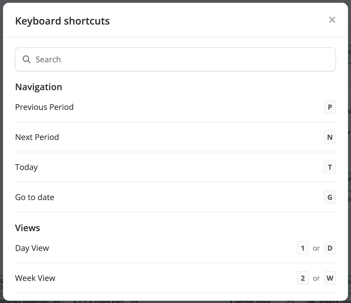
Many of these shortcuts will be familiar if you've used Google Calendar hot keys. The full list can be viewed below:
Navigation
Previous Period: P
Next Period: N
Today: T
Go to date: G
Views
Day View: 1 or D
Week View: 2 or W
Month View: 3 or M
List View: 4 or L
Actions
Create new event (Hold): c
Create Confirmed event: ⇧ C
Create Hold: h
Search calendar: /
Check avails: a
Clear holds on a date: ⇧ D
Toggle left sidebar: `
General
Show keyboard shortcuts: ?
Close modal / cancel action: Esc